License key management
Bunny issues license keys which can be used for managing subscription entitlements in online or offline software and services.
If your software is distributed to end users or customers then you will need a license key system to allow activating the software and controlling which features are enabled.
Every subscription in Bunny has an associated License key that can be validated to reveal the if the subscription is still active and what features or limits should be enabled.
It supports both online and offline modes. Where the offline mode is useful for software or containers that do not have access to the internet.
Online modeLink to Online mode section
Online mode is the preferred approach because if there are changes to the features or entitlements of a subscription in Bunny these will be picked up when the license key is validated.
To use online mode you will share the license key with end users who can set it as an environment variable in the distributed software.
The license key is found by clicking on the Details link for a given subscription.
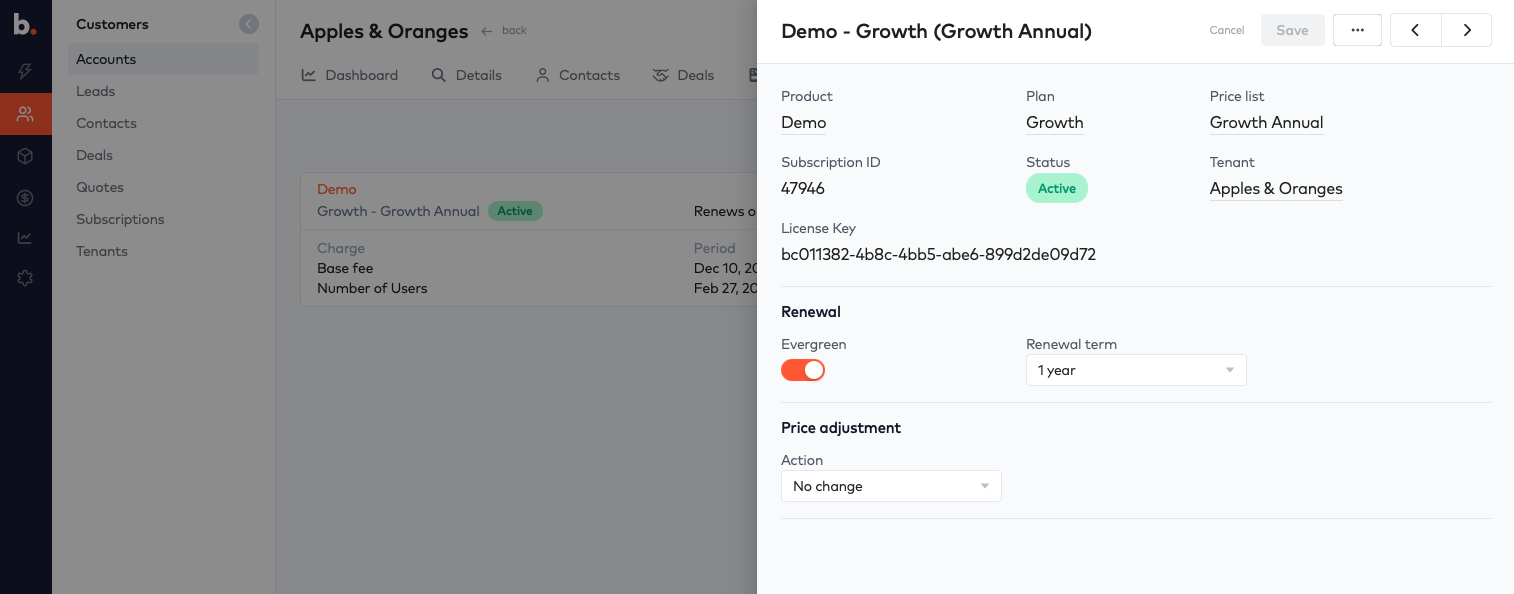
The distributed software will perform the following steps:
- Make a call to Bunny licences/validate endpoint using the license key.
- Verify the JWT that is returned
- Activate the software
The JWT returned will have a 1 hour expiry.
Offline modeLink to Offline mode section
When the distributed software is air gapped or unable to connect to the internet a JWT can be generated either through the Bunny admin interface or by using the Bunny GraphQL API.
To generate an offline JWT token, click on the subscription details and then select Generate offline license from the menu.
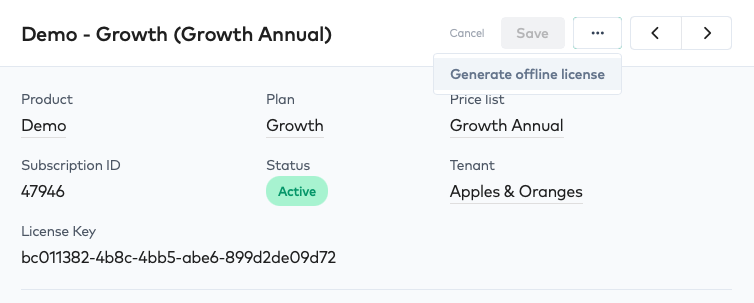
To generate the JWT via API see offlineLicenseCreate which will require submitting either the License Key or Subscription ID.
The JWT returned will have a 1 year expiry.
Validate license keyLink to Validate license key section
`POST` https://auth.bunny.com/api/licenses/validate
Headers
| Name | Value |
|---|---|
| Content-Type | application/json |
| Authorization | Bearer <license_key> |
Body
| Name | Type | Description |
|---|---|---|
| instance_fingerprint | string | Optional. Tracks a unique device identifier along wth the subscription |
Response
{
  "token": "<SIGNED JWT>"
}
{
  "error": "License is not active"
}
The final step is to verify the signature of the JWT and extract the subscription claim to get the entitlements.
Verify the JWT for authenticityLink to Verify the JWT for authenticity section
Before the JWT can be trusted you should verify its signature, check the expiry date and also the issuer and audience claims.
The issuer must be `https://auth.bunny.com`
The audience must be ‘bunny-license-key’
The JWT signature is verified using the public key hosted on the JWKs endpoint.
https://auth.bunny.com/api/.well-known/jwks.json
When operating in offline mode the public keys at this endpoint should be downloaded and bundled with the distributed software.
The Bunny license SDK includes the JWKs for offline access and will use the JWKs endpoint for online access.
Ask Claude or google how to verify a JWT using JWKs and you will be able to complete this final step.
Extract the subscription entitlementsLink to Extract the subscription entitlements section
Once the JWT signature is verified you can extract the subscription claim to get all of the details of the subscription.
{
  "iss": "https://auth.bunny.com",
  "aud": "bunny-license-key",
  "sub": "47946",
  "iat": 1779245995,
  "exp": 1810802947,
  "jti": "b82cd058-b877-433b-8d7d-b551000e377d",
  "subscription": {
    "id": 47946,
    "state": "active",
    "start_date": "2025-12-10",
    "end_date": "2026-12-09",
    "trial_start_date": null,
    "trial_end_date": null,
    "plan": {
      "code": "growth",
      "name": "Growth"
    },
    "price_list": {
      "code": "growth_annual",
      "name": "Growth Annual"
    },
    "features": [
      {
        "code": "users",
        "name": "users",
        "value": "",
        "quantity": 55
      },
      {
        "code": null,
        "name": "Base fee",
        "value": "",
        "quantity": 1
      }
    ]
  }
}
SDKLink to SDK section
To make this process easier use an official Bunny SDK which will take care of handling the workflow for both online and offline access.
- Rust SDK - Download from crates.io
- Rust SDK source on Github