<Invoices />
Embed the Invoices component to show an account's invoices in a searchable list, where each invoice opens to be viewed, downloaded and paid.
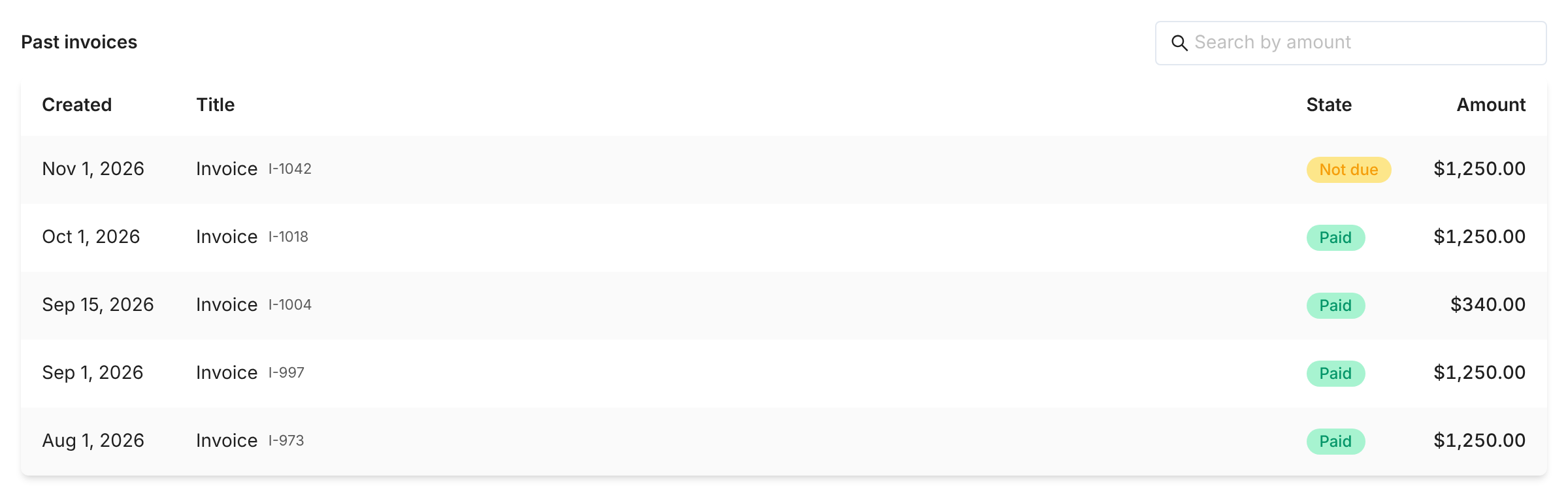
The invoices component.
<Invoices
  sort="createdAt DESC"
  displayOptions={{ title: "Billing history" }}
/>
It needs a portal session token, and shows that account’s invoices. Like every component, it also accepts appearance (Styling).
Clicking an invoice opens it in a drawer as an <Invoice />, where the customer can download and pay it. Long lists are split into pages.
filter and sortLink to filter and sort section
Server-side query filters and sort clauses, for example filter="invoice.amount is 100" or sort="createdAt DESC". When you pass a filter, the search box is hidden unless you turn it on with displayOptions.showSearchBar.
displayOptionsLink to displayOptions section
| Option | Default | |
|---|---|---|
title |
"Past invoices" |
The title above the list |
showTitle |
true |
Show the title |
showSearchBar |
true, or false with a filter |
Show the Search by amount box |
columns |
["date", "title", "state", "amount", "download"] |
The columns to show, in order. accountName is also available. |
useModal |
false |
Open invoices in a modal instead of a drawer |
emptyMessage |
"There are no invoices" |
Shown when there are none |
className, style, searchBarClassName |
Positioning |
behaviorOptionsLink to behaviorOptions section
| Option | Default | |
|---|---|---|
invoiceDateType |
"createdAt" |
The date shown in the date column: createdAt, issuedAt or dueAt |
hidePaymentForm |
false |
Hide the payment form on opened invoices |
suppressDetail |
false |
Don’t open invoices on click. Use with onInvoiceClick to handle the click yourself. |
rowsPerPage |
Fits the screen | Invoices per page, from 1 to 100 |
onInvoiceClick and invoiceComponentLink to onInvoiceClick and invoiceComponent section
onInvoiceClick is called with the invoice when the customer clicks it. invoiceComponent replaces the <Invoice /> shown in the drawer with your own content.