<Transactions />
Embed the Transactions component to show an account's invoices, payments and refunds in one searchable list.
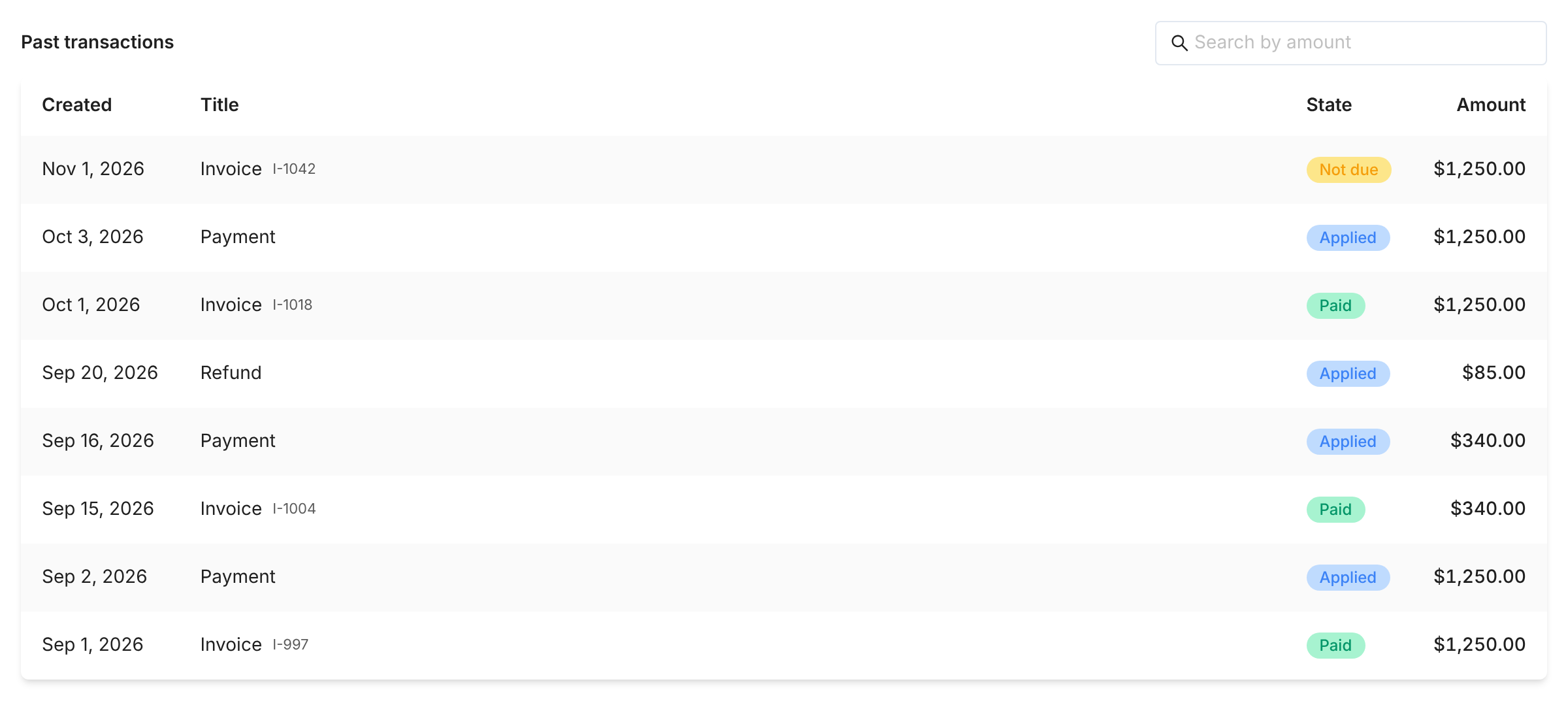
The transactions component, with invoices, payments and a refund.
<Transactions
  behaviorOptions={{ transactionDateType: "issuedAt" }}
/>
It needs a portal session token, and shows that account’s transactions: invoices, payments, and refunds and write-offs from credit notes. Payments and refunds show as positive amounts. Like every component, it also accepts appearance (Styling).
Clicking an invoice opens it in a drawer, where the customer can download and pay it. Clicking a payment or refund shows its amount, description, kind and state.
OptionsLink to Options section
<Transactions /> takes the same props as <Invoices />, with these differences:
displayOptions.titledefaults to"Past transactions"andemptyMessageto"There are no transactions".behaviorOptions.transactionDateTypereplacesinvoiceDateType. Payments always show the date they were created.onTransactionClickandtransactionComponentreplaceonInvoiceClickandinvoiceComponent.- Filters use
transaction, for examplefilter="transaction.amount is 100".