<Subscriptions />
Embed the Subscriptions component to let customers view their subscriptions, change plan or quantities, upgrade from a trial and cancel.
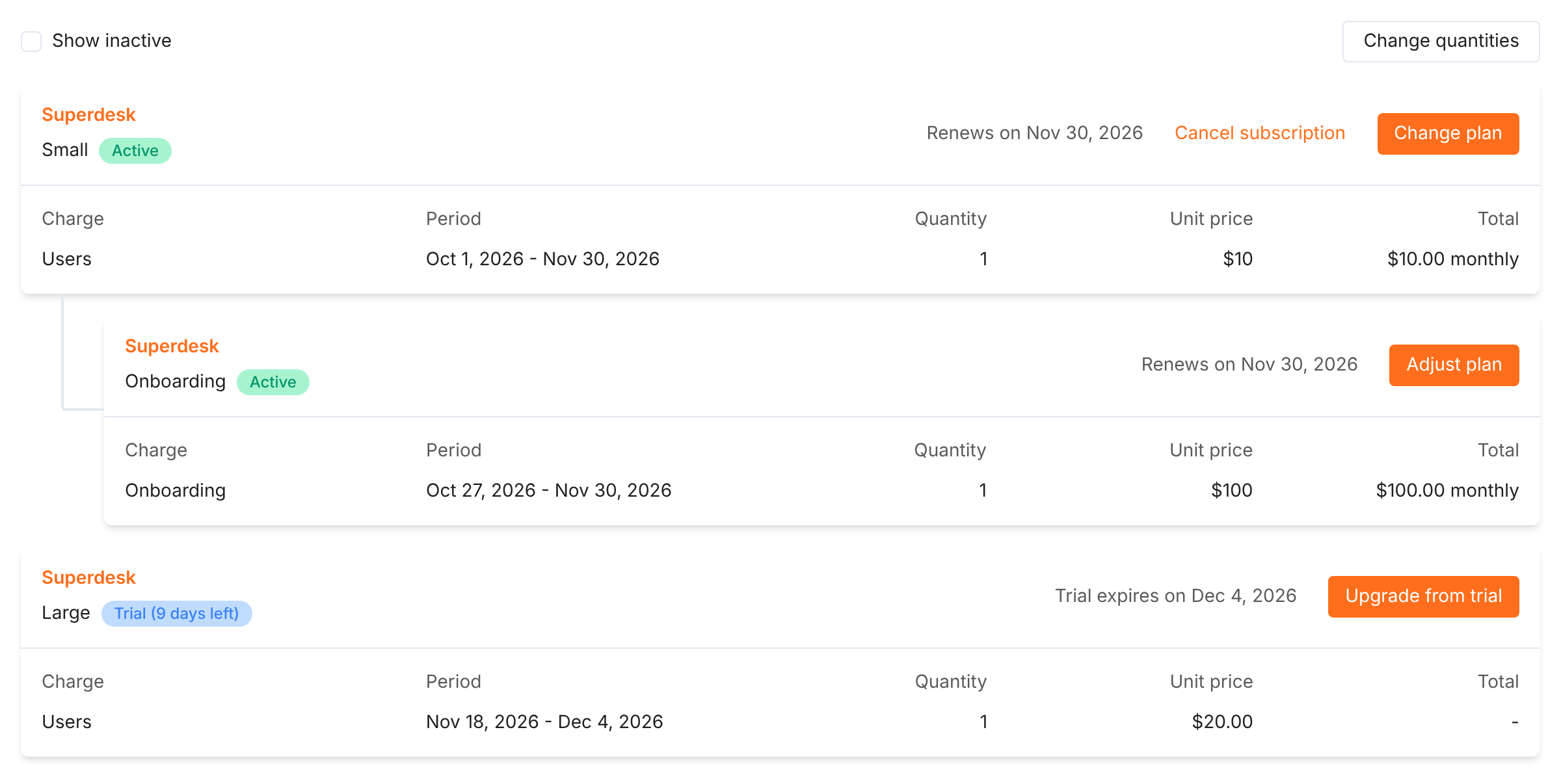
The subscriptions component, with an add-on and a trial.
<Subscriptions
  companyName="Superdesk"
  onSubscriptionUpgradeClick={(subscriptionId) => console.log(subscriptionId)}
/>
It needs a portal session token. Like every component, it also accepts appearance (Styling) and style and className for positioning.
What customers can doLink to What customers can do section
Each subscription shows its charges for the current period. The actions follow your settings in Bunny:
| Action | Shown when |
|---|---|
| Change plan (Upgrade from trial on a trial, Upgrade on an expired trial, Adjust plan on an add-on) | Another plan of the same product has Self-service buy turned on. See Plans. |
| Cancel subscription | The plan has Self-service cancel turned on, and the subscription is active, pending or in trial. |
| Change quantities | A charge on an active or pending subscription has Customers can change the quantity themselves turned on. See Self-service quantity. Flat, usage and one-time charges can’t be changed. |
| Show inactive | The account has canceled or expired subscriptions. |
Change plan opens the plan picker in place of the list. The customer picks a plan and billing period, can add add-ons, and pays for the change.
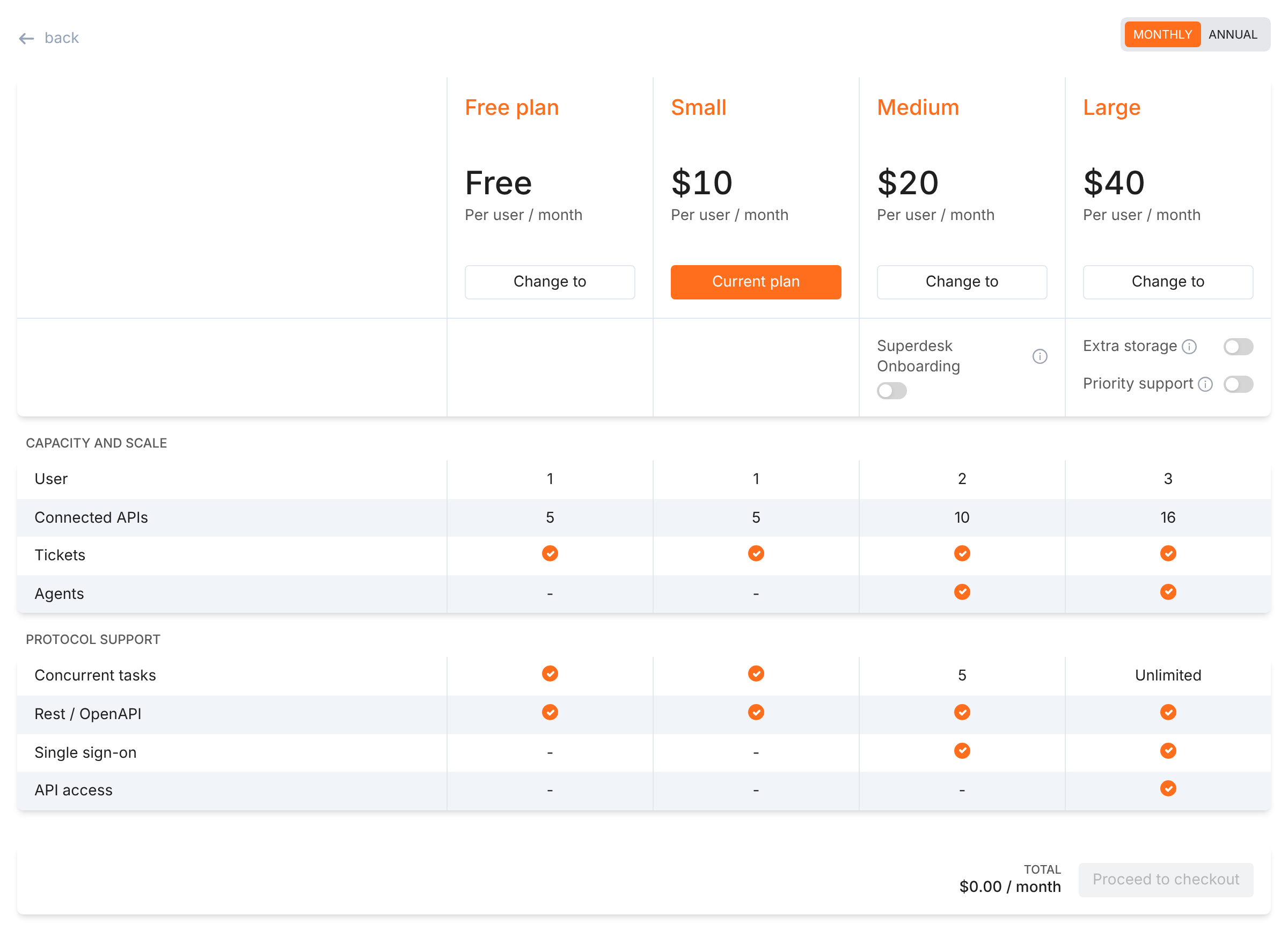
The plan picker that opens from Change plan.
companyNameLink to companyName section
Required. Your company name, shown when the customer has no subscriptions: “You have no subscriptions with Superdesk yet”. Pass noSubscriptionsComponent to show your own content instead.
showInactiveSubscriptions and showInactiveSubscriptionsToggleLink to showInactiveSubscriptions and showInactiveSubscriptionsToggle section
showInactiveSubscriptions shows canceled and expired subscriptions from the start. showInactiveSubscriptionsToggle={false} hides the Show inactive checkbox.
onSubscriptionUpgradeClickLink to onSubscriptionUpgradeClick section
Called with the subscription’s ID when the customer clicks Change plan, Upgrade from trial or Adjust plan, before the plan picker opens.
onPaymentMethodSaved and onPaymentMethodRemovedLink to onPaymentMethodSaved and onPaymentMethodRemoved section
Called with the payment method’s ID when the customer saves or removes a payment method while changing plan.
<Upgrade />Link to <Upgrade /> section
<Upgrade /> is the plan picker on its own, for one subscription. Use it to open plan changes from your own button instead of from <Subscriptions />.
<Upgrade
  upgradingSubscriptionId={subscriptionId}
  defaultBillingPeriod="ANNUAL"
  onChangePlanCancel={() => setShowUpgrade(false)}
/>
upgradingSubscriptionId: The subscription to change.defaultBillingPeriod: The billing period selected when the picker opens:MONTHLY,QUARTERLY,SEMI_ANNUAL,ANNUALorONCE.onChangePlanCancel: Called when the customer clicks back.