<Quotes />
Embed the Quotes component to show the quotes shared with an account, where each quote opens to be read, downloaded and accepted.
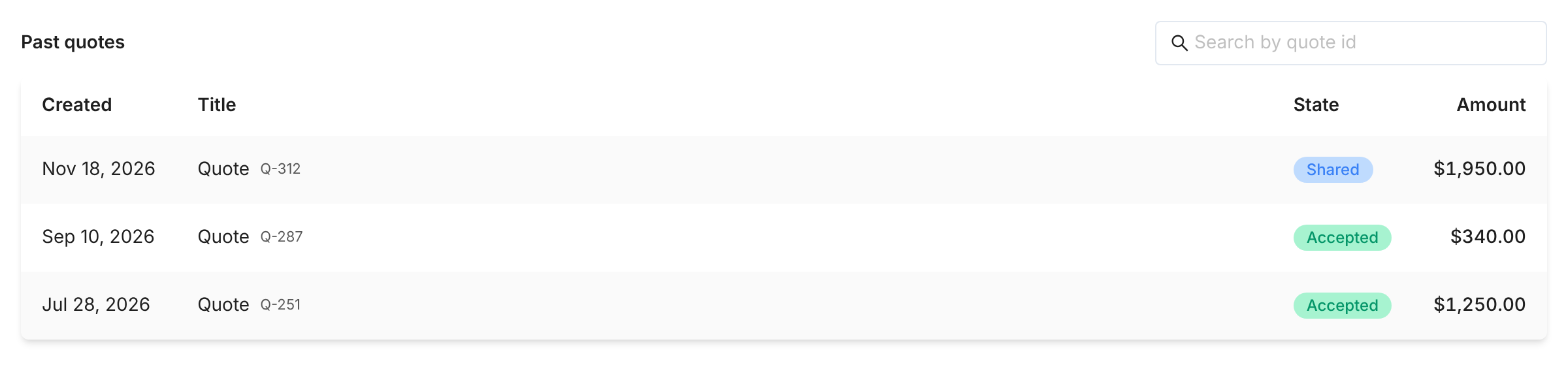
The quotes component.
<Quotes
  onQuoteClick={(quote) => console.log(quote.id)}
/>
It needs a portal session token, and shows the quotes you’ve shared with that account. Draft quotes aren’t listed. Like every component, it also accepts appearance (Styling).
Clicking a quote opens it in a drawer as a <Quote />, where the customer can download and accept it.
OptionsLink to Options section
<Quotes /> takes the same filter, sort, displayOptions and behaviorOptions as <Invoices />, with these differences:
displayOptions.titledefaults to"Past quotes"andemptyMessageto"There are no quotes". The search box searches by quote ID.columnsdefaults to["date", "title", "amount", "download", "state"].- There’s no date type or
hidePaymentFormoption. onQuoteClickreplacesonInvoiceClick, andrenderQuotereplacesinvoiceComponent.renderQuoteis a function that receives the quote and returns what to show in the drawer.- Filters use
quote, for examplefilter="quote.amount is 100".