Usage-based charges
Set up usage-based (metered) charges in Bunny: usage calculation types, reporting usage records, bill run timing and testing with draft invoices.
Usage-based, or metered, charges are based on a customer’s consumption of a service and are not fixed in advance. While recurring charges have the advantage og predictability, usage-based are better suited to service where the consumption is not known in advance, such as text messages sent, API calls made, LLM requests etc.
You can mix both recurring and usage-based charges on a price list. For example, it can be a way to model committed+overage pricing models.
Usage calculation typeLink to Usage calculation type section
Bunny can aggregate usage records in three different ways.
- Average - The quantity will be the average of all the records recorded in the period.
- Sum - The quantity will be the sum of all the quantities of the usage records in the period.
- Last - The quantity with be taken from the last record uploaded in the period.
- Max - The quantity will be taken form the record with the highest quantity in the period.
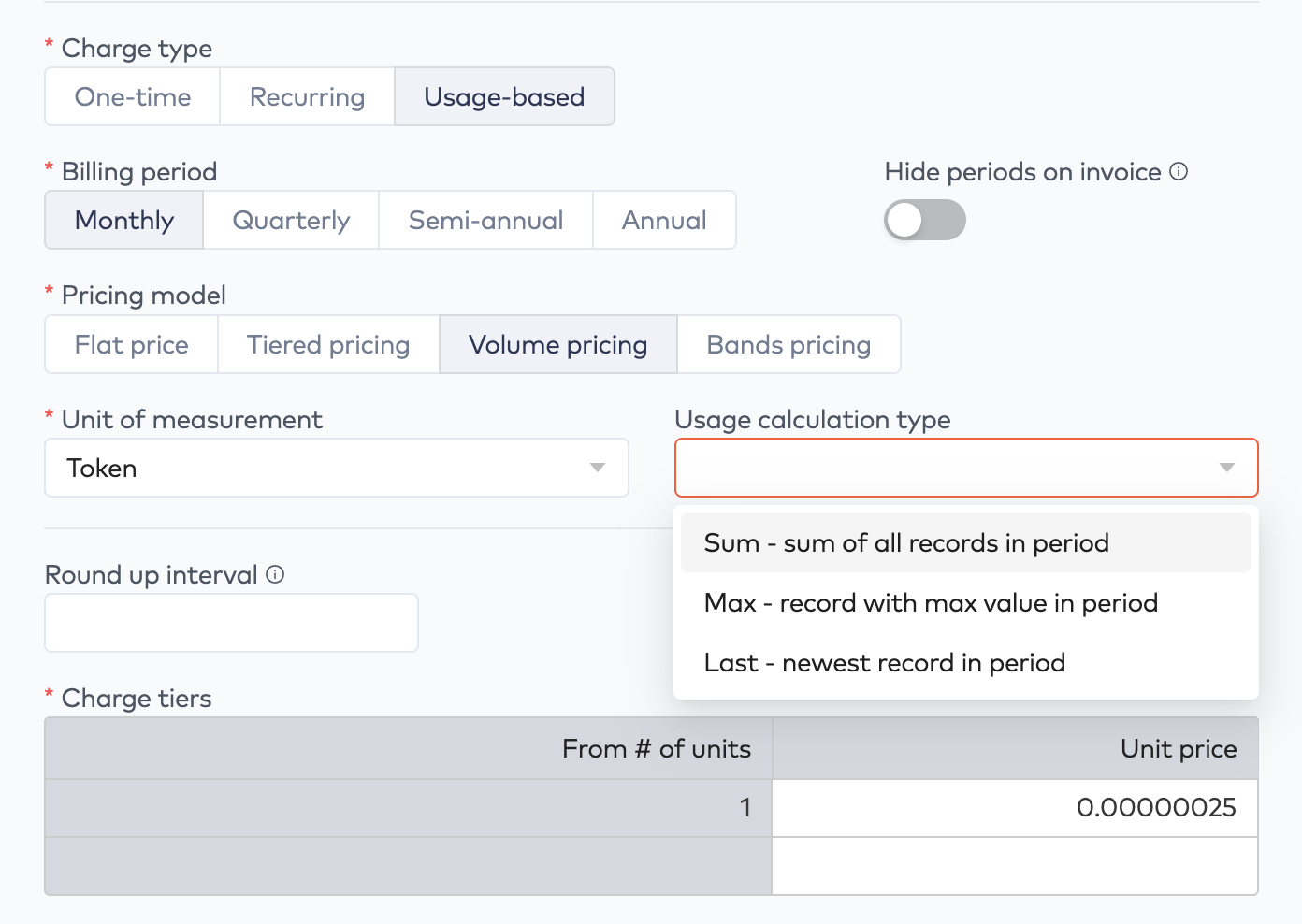
The screenshot above shoes volume-based pricing, but bands pricing can also be a very useful pricing model for usage-based billing models because the numbers are bit easier for the end-user to understand.
Reporting usage to BunnyLink to Reporting usage to Bunny section
There are two way to report usage records into Bunny. Either you can enter them manually via the usage table or you can upload them programmatically using Bunny’s API or SDK.
Note that it is the platform’s responsibility to ensure that usage records are uploaded in time for the bill run and that no duplicates are uploaded.
Invoice generationLink to Invoice generation section
An entity’s bill run executes after 8:15 in the morning in the entity’s timezone. This gives you approximately 8 hours to ensure that all usage records for the period will be included in the bill run’s invoices.
Using draft invoices to testLink to Using draft invoices to test section
Since an account’s usage is not fully known until the end of the account’s billing period, it can be hard to visualize how the invoice will look. You can always use the invoice preview on the account for to generate a sample invoice.
You can also use the draft invoices setting on the account to prevent new invoices from being emailed automatically. This allows you to dial in the usage reporting gradually as you get up and running with Bunny. If the process that uploads usage records from your platform to Bunny missed some records, you can regenerate the invoice, verify the correctness of it and then release it to the customer.