Zapier
Connect Bunny to Zapier to automate workflows
Zapier is a workflow automation platform that has connections to thousands of applications. With Zapier you can create workflows that are triggered by an action in one app and then perform an action in another app.
The Bunny app in Zapier lets you perform the following actions:
- Creating a new subscription in Bunny
How to use Bunny in ZapierLink to How to use Bunny in Zapier section
The first step is to search for Bunny in Zapier and then click the Add Connection button to install the Bunny app.
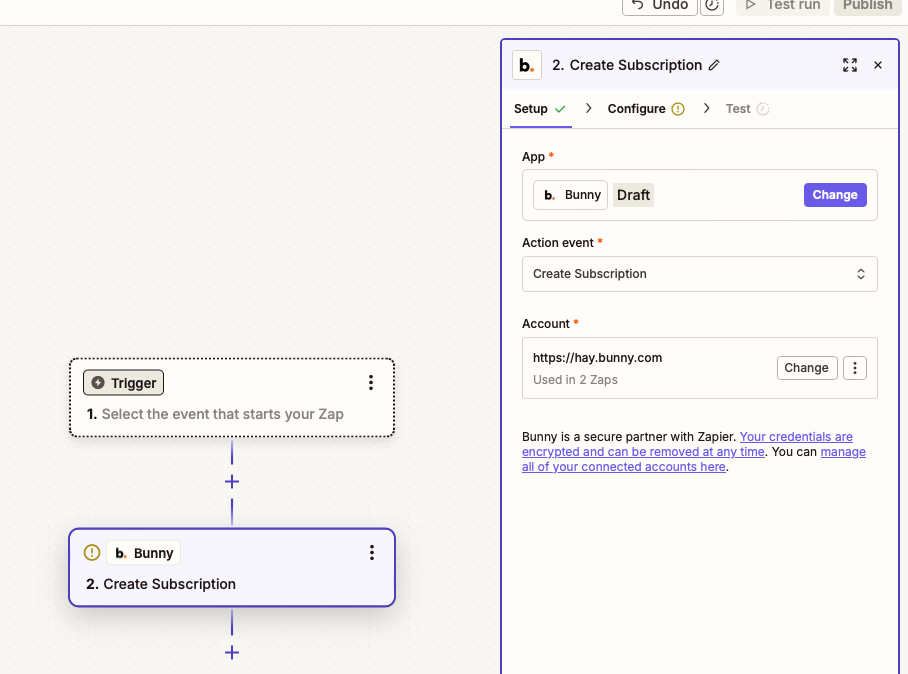
Now you can create a new Zap and select Bunny as the Action.
Set the action Event to Create subscription.
Connect a Bunny accountLink to Connect a Bunny account section
To connect a Bunny account you must first create an API client in Bunny.
The API client will need the standard:read and standard:write scopes added to it.
It must also have the Client credentials grant enabled.
With those settings in place you can save the API client and a Client ID and Client Secret will be issued.
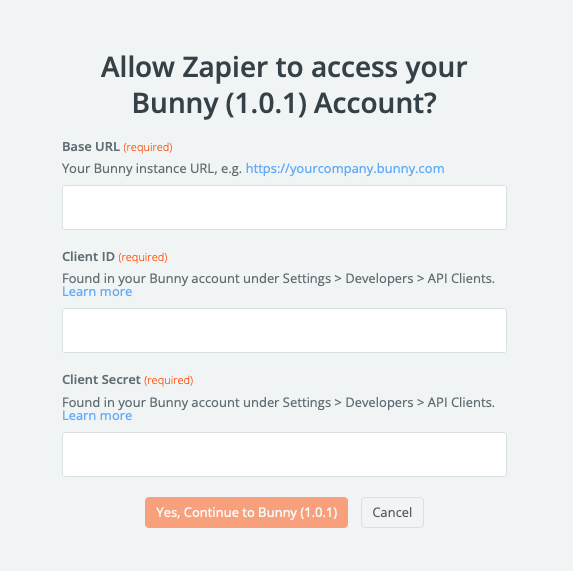
Connect the Bunny account in Zapier by copying the Client ID and Client Secret into the fields presented in the Zapier account connection popup window.
Set the Base Url to your Bunny instance url. e.g. https://superdesk.bunny.com
Mapping fields to create a subscriptionLink to Mapping fields to create a subscription section
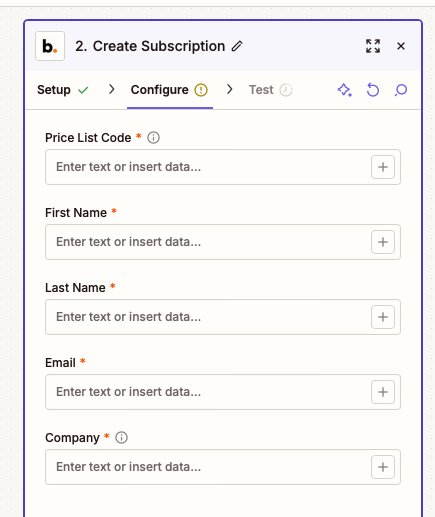
In the configure tab you can map fields from a previous trigger or step in your Zap into Bunny.
All fields are required and the most important field is the Price list code which you can obtain from your product catalog in Bunny.
Price List Code is typically entered as text because you normally only have 1 type of subscription that you want to create. For example a trial subscription.
The remaining fields will be mapped from a form or whatever else you have connected in Zapier.