One-time products
Sell setup fees, implementation and other services with one-time products in Bunny: charges in several currencies, flat or per-unit pricing, revenue recognition, archiving and adding them to quotes and invoices.
One-time products are for things you sell once, such as setup fees, implementation, onboarding and training. They count as non-recurring revenue, so they don’t add to MRR or ARR.
A one-time product is simpler than a subscription product. It has no plans, price lists, features or subscriptions. Instead, its charges sit directly on the product. See What’s a product? for how the two types compare.
Creating a one-time productLink to Creating a one-time product section
When you create a product, choose One-time as the type. You can’t change the type after the product is created, so a subscription product can’t become a one-time product or the other way around.
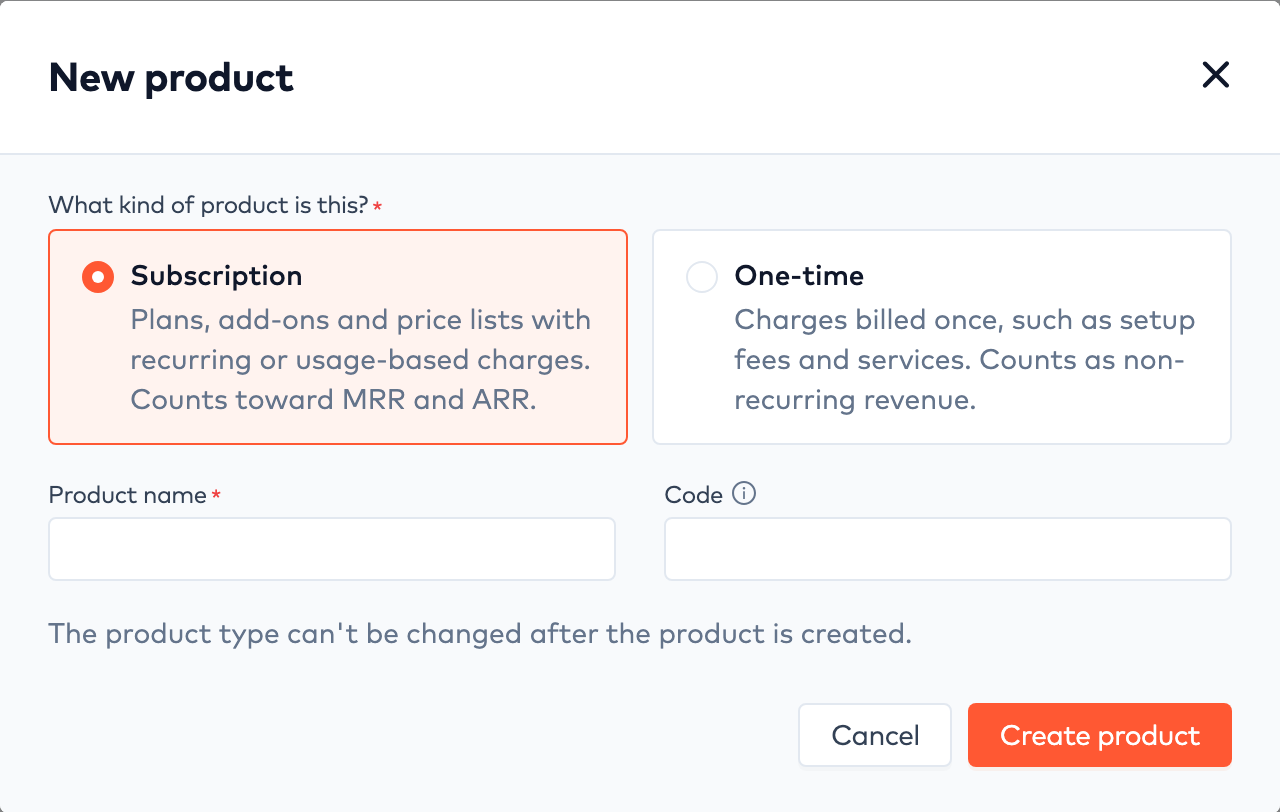
Choosing the product type
The product page shows a One time tag in the header. It has the same details as a subscription product, such as name, category, code and description, plus a Charges card in place of plans.
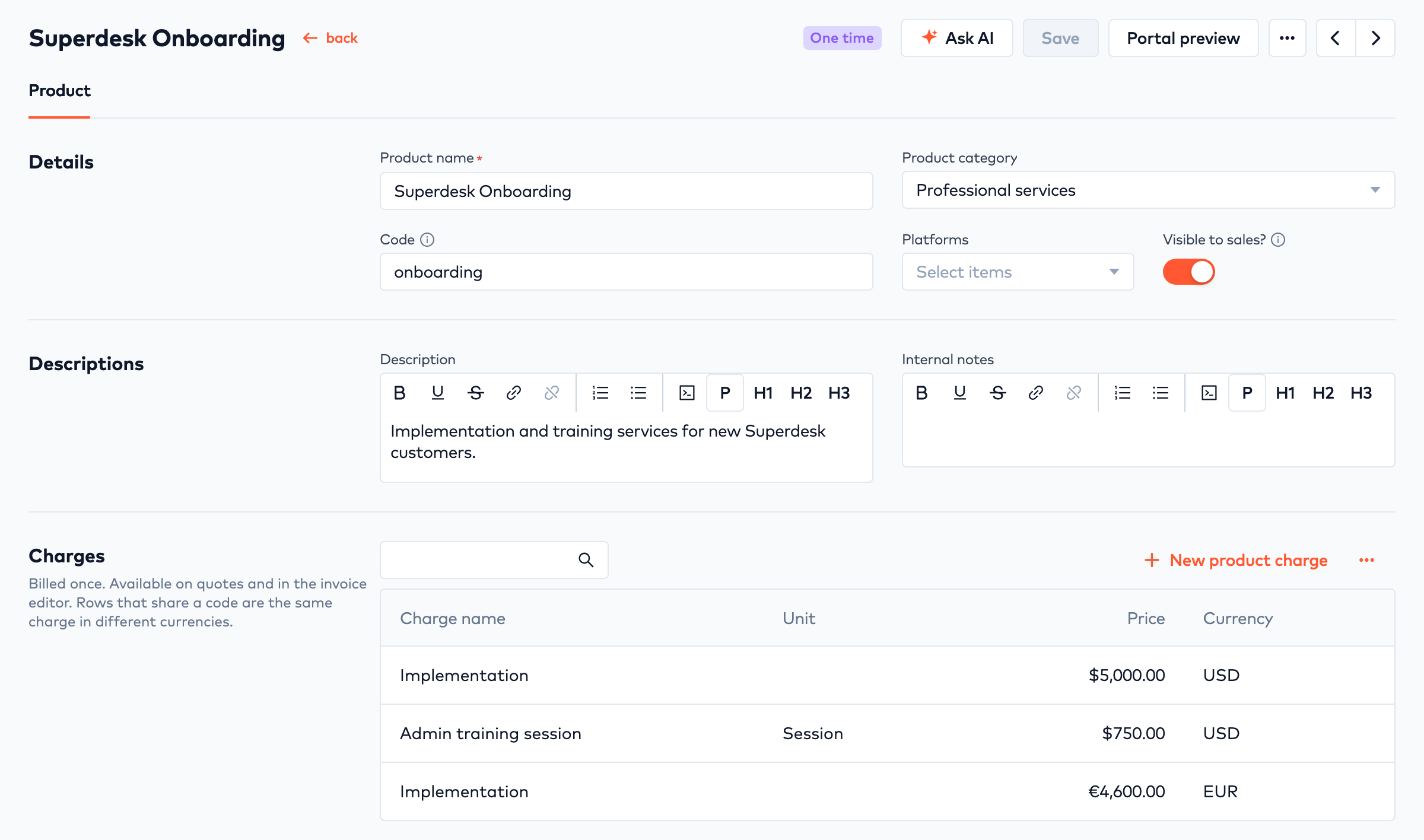
A one-time product with charges in two currencies
Visible to sales? controls whether the product’s charges can be added to quotes. Turn it off to stop selling a product without deleting it.
ChargesLink to Charges section
Click New product charge to add a charge. All charges on a one-time product are one-time charges.
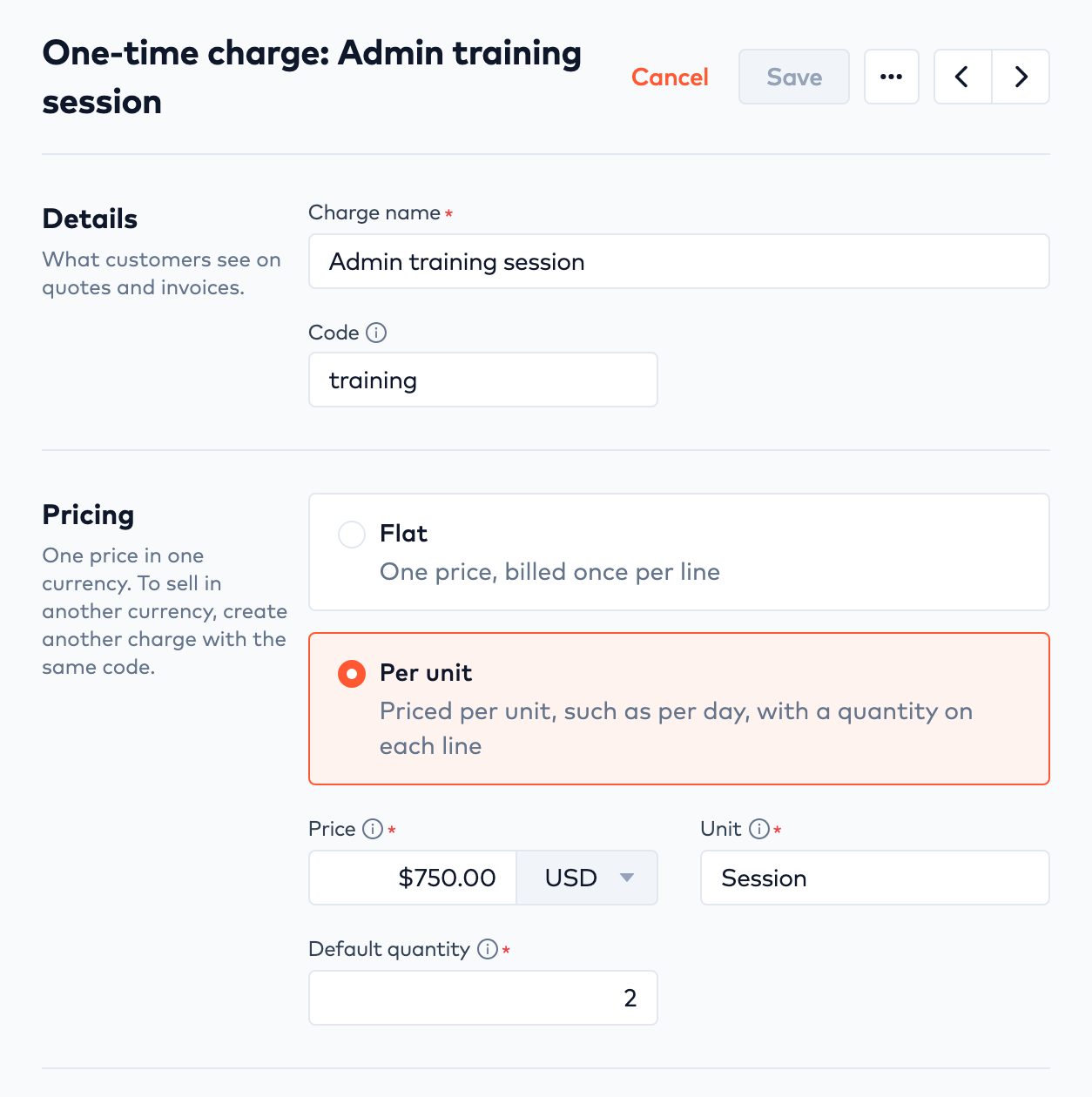
A per-unit product charge
| Field | Description |
|---|---|
| Charge name | What customers see on quotes and invoices. |
| Code | Identifies the charge in the API. Charges that share a code are the same charge in different currencies. |
| Flat or Per unit | Flat is one price, billed once per line. Per unit is a price per unit, such as per day or per session, with a quantity on each line. |
| Price | The price and its currency. You can’t change the currency after the charge is created. |
| Unit | For per-unit charges, what one unit is, such as “day” or “hour”. |
| Default quantity | For per-unit charges, the quantity new quote and invoice lines start with. You can change it on each line. |
| Recognized over (months) | How revenue is recognized, from 1 to 60 months. 1 recognizes the revenue in full on the invoice date. A higher number spreads it evenly over that many months. |
| Tax code | The tax code from your tax vendor, such as Avalara. |
Selling in more than one currencyLink to Selling in more than one currency section
Each charge has one price in one currency. To sell a charge in another currency, create another charge with the same name and code, and set its price in the new currency. In the example above, Implementation costs $5,000 in USD and €4,600 in EUR, and Admin training session is only sold in USD.
Archiving chargesLink to Archiving charges section
To stop selling a charge, choose Archive from the charge’s actions menu. Archived charges aren’t added when the product is added to a quote. Choose Restore to sell the charge again.
Selling one-time productsLink to Selling one-time products section
On quotesLink to On quotes section
When you add a one-time product to a quote, Bunny adds a line for each of the product’s charges in the quote’s currency. Archived charges are skipped. If the product has no charges in the quote’s currency, you can’t add it to the quote. You can change the quantity on each line.
A few things work differently from subscription products:
- No subscription is created when the quote is applied. The one-time charges are billed on the quote’s first invoice.
- A quote that only has one-time charges is invoiced as soon as it is applied, so its start date can’t be in the future.
- Coupons and the quote’s price adjustment don’t apply to one-time products.
A quote can have both one-time products and subscription products. The one-time charges are still billed on the quote’s first invoice.
In the invoice editorLink to In the invoice editor section
You can also add a one-time product’s charges directly to an invoice in the invoice editor, without a quote.
Duplicating a one-time productLink to Duplicating a one-time product section
When you duplicate a one-time product, its charges are copied to the new product.