Account hierarchies
Organize Bunny accounts into parent and child hierarchies, delegate invoicing to an ancestor or use its payment method, and the restrictions that apply.
Bunny allows you to organize accounts into hierarchies. The illustration below shows how Acme has two child accounts, one of which also has two child accounts.
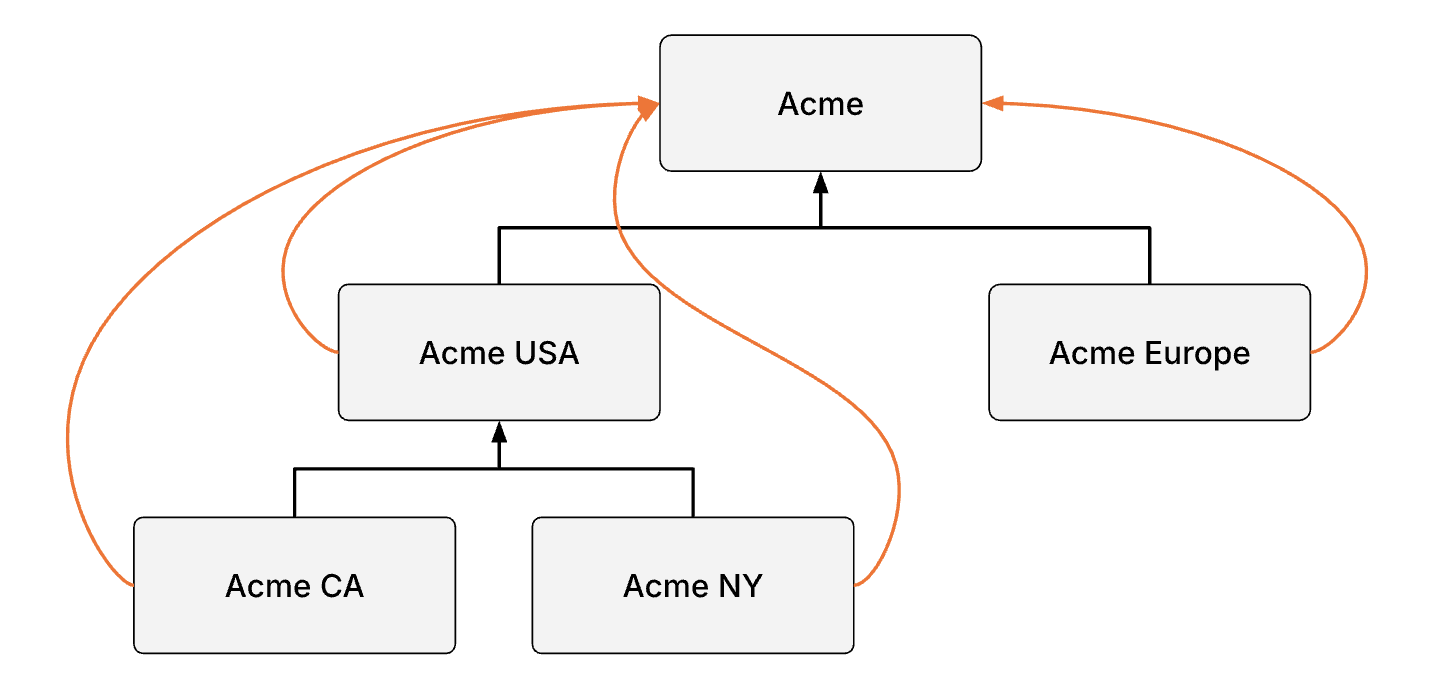
In this example, all child accounts propagate their invoices to the root account, Acme.
Building a hierarchyLink to Building a hierarchy section
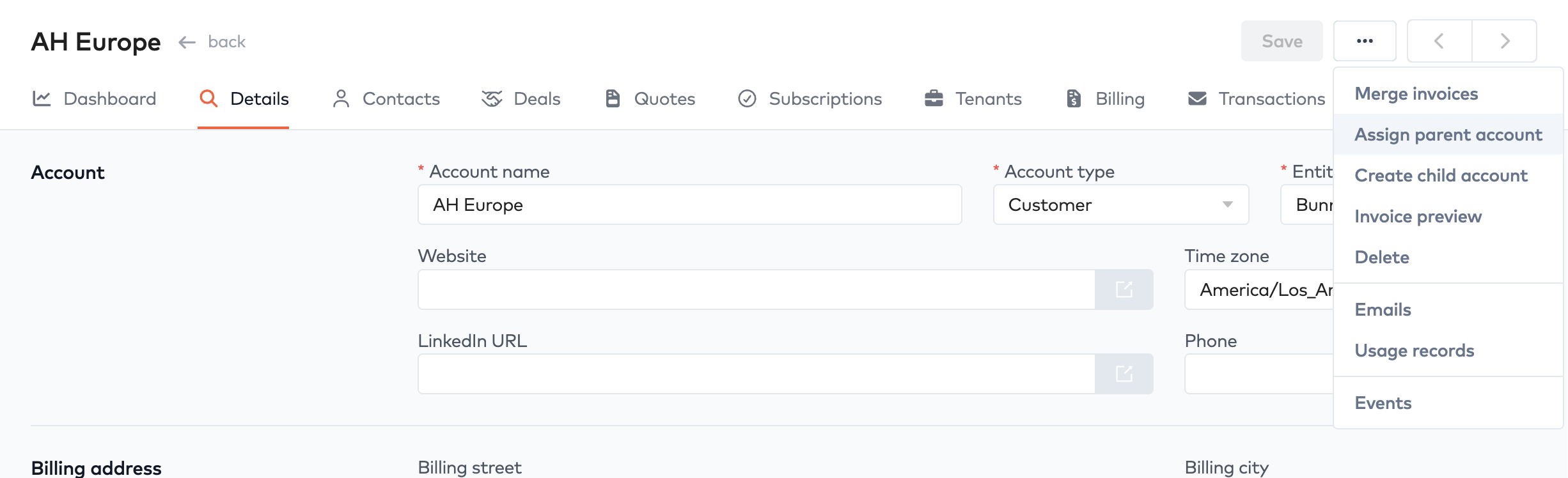
Use the ... menu on the account form to either create a child account or assign a parent account.
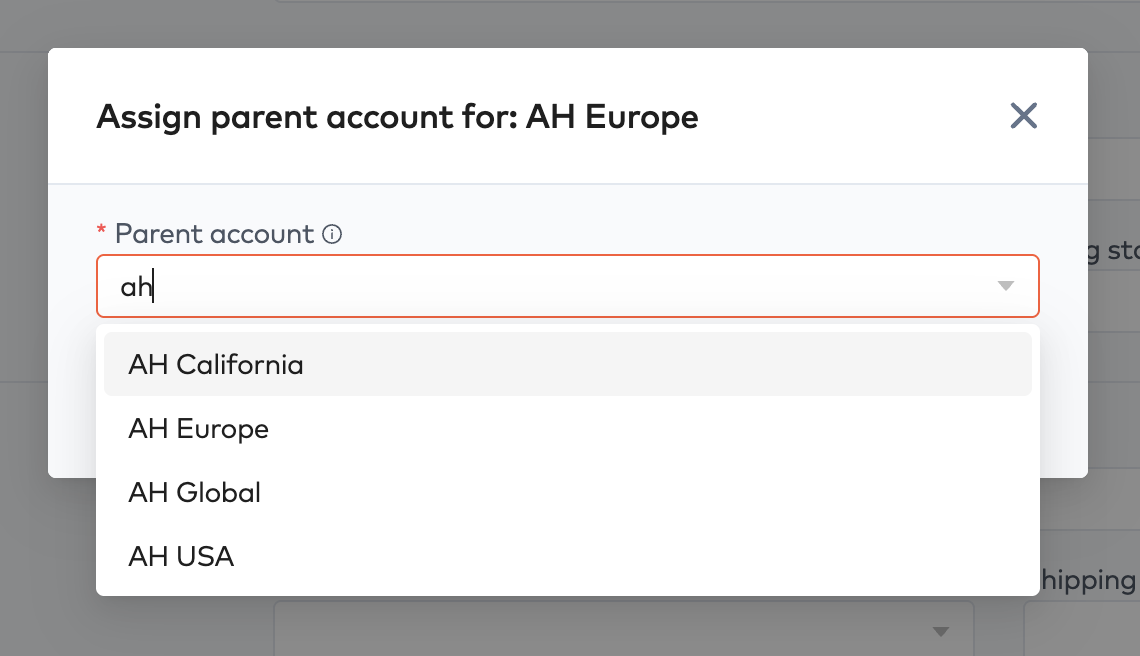
Assign parent account opens the modal below.
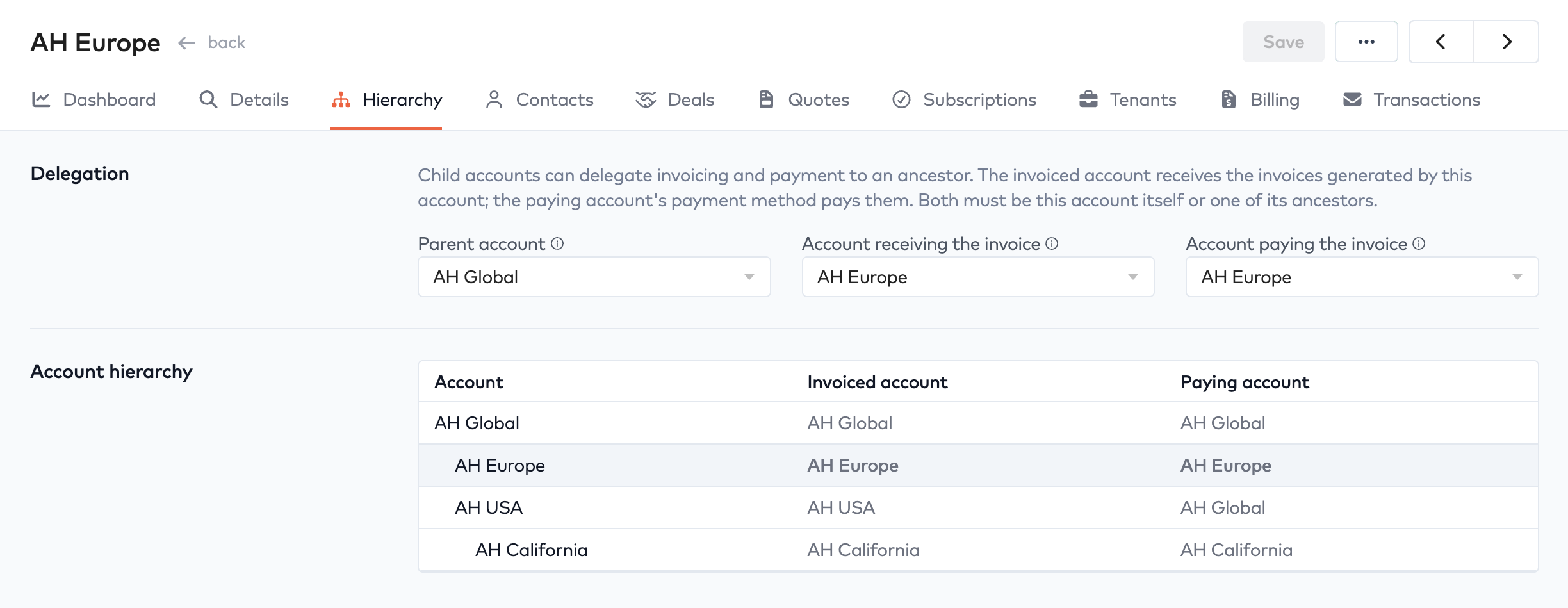
Once an account is part of a hierarchy, a Hierarchy tab will appear on the account form, which shows en entire hierarchy as a tree. Here you can also specify which account receives the invoice or whether the account is using an ancestor account’s payment method for its own invoices.
Delegating invoicingLink to Delegating invoicing section
Accounts in a hierarchy can have different billing days. When an account delegates its invoicing to another account, the invoice is forwarded immediately upon generation. If the target account doesn’t have consolidated billing enabled, it’s also emailed immediately. If consolidated billing is enabled, the invoice is held and included in the target account’s next invoice on its billing day.
Using parent account’s payment methodLink to Using parent account’s payment method section
Instead of delegting invoicing to another account, you can choose to let a child account use the payment method of another account in the direct path up the hierarchy.
RestrictionsLink to Restrictions section
Certain restrictions apply in an account hierarchy.
- All accounts must belong to the same entity
- All accounts must have the same billling currency
- Invoice delegation can only go up in the hierarchy to a direct ancestor
- No cyclical references are allowed