Slack
Notify channels and users in Slack.
Bunny’s Slack integration enables you to notify users or channels in Slack when certain events happen, for example:
- Notify #sales when a deal is closed
- Notify an approver when a quote must be approved
- Notify a deal owner when a quote has been accepted or rejected
- Notify a deal owner when a customer has viewed a quote
Bunny comes with a number of standard workflows where you can easy add this logic or you can create entirely new workflows that incorporate Slack messaging.
ConfigurationLink to Configuration section
Go to Settings > Integrations and select the Slack integration.
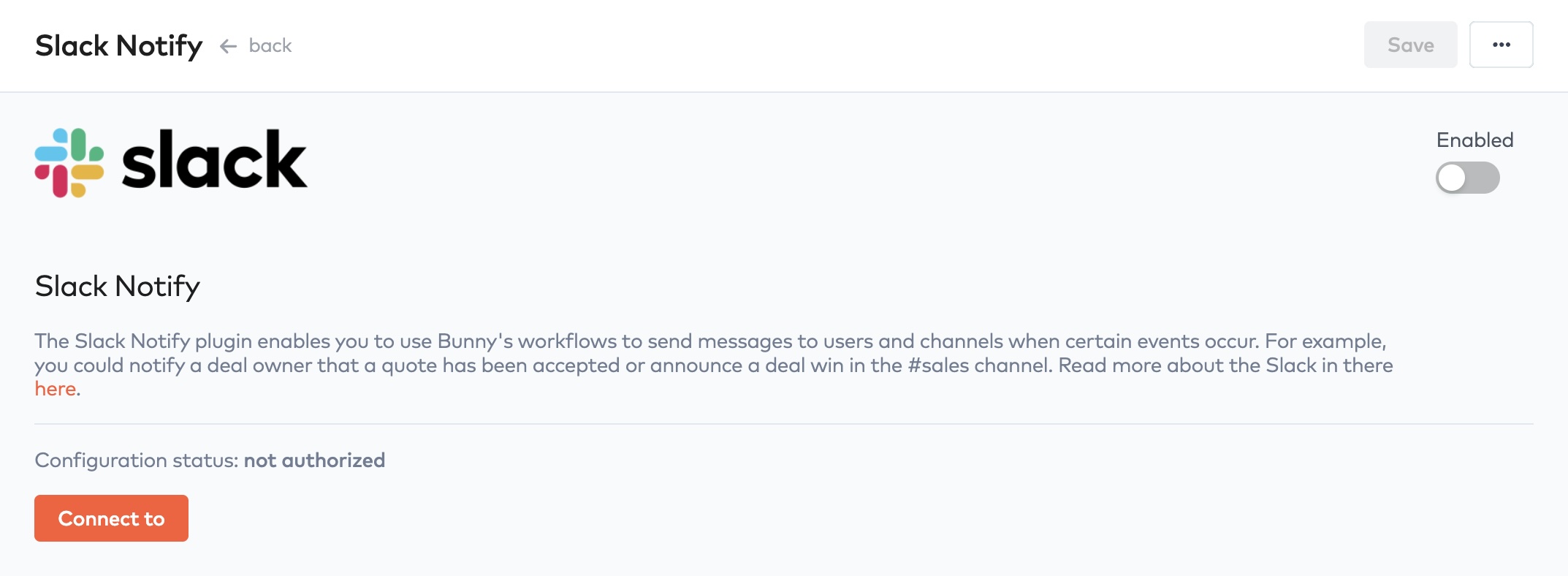
Slack integration configuration
Click the Authorize with app button to start the authorization process.
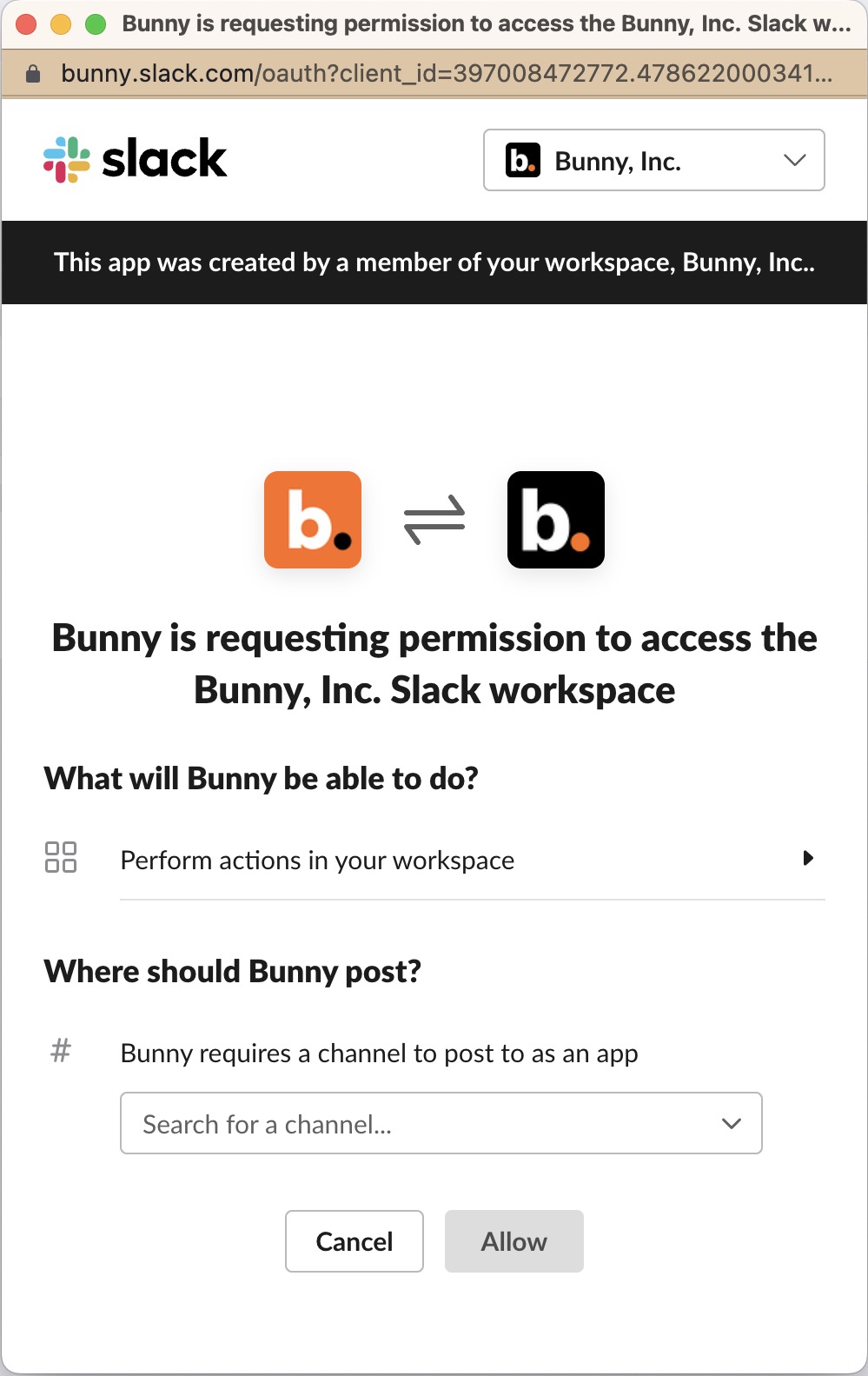
The channel that Slack asks for is not significant. You can post to any channel from Bunny once the integration is configured. Click Allow to complete the process and update the integration in Bunny.
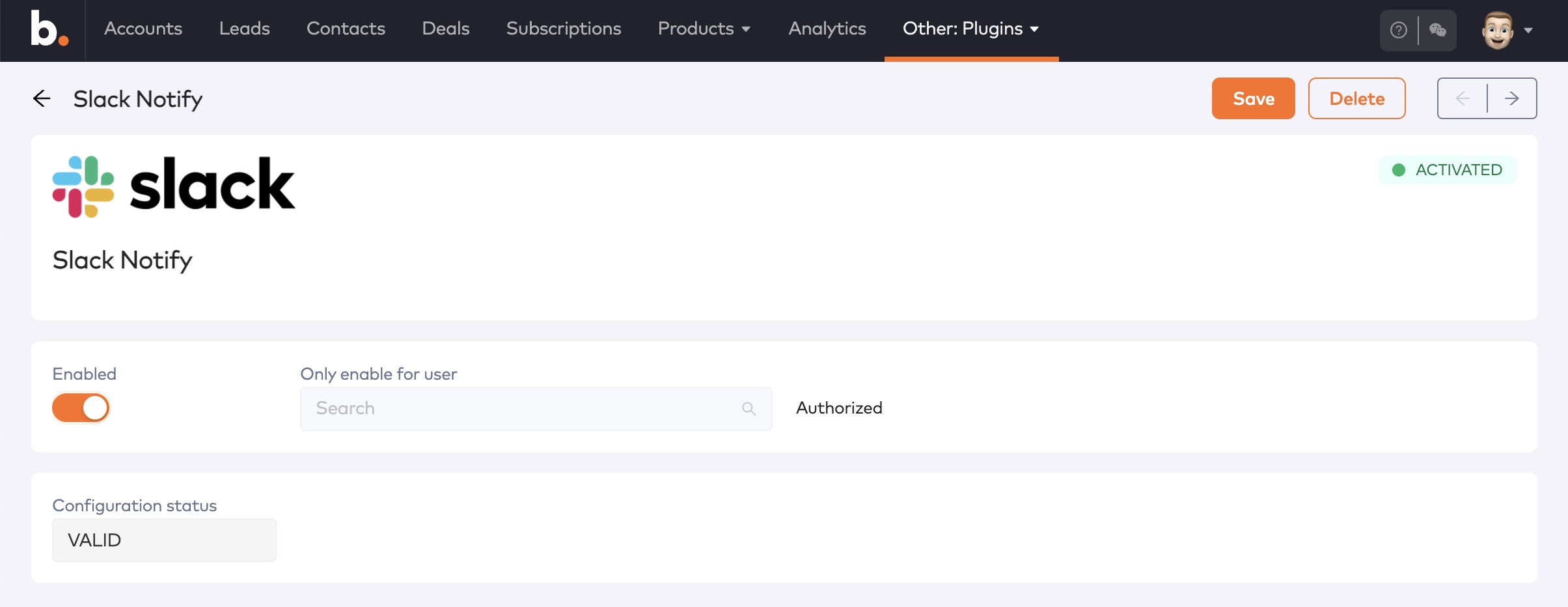
Slack configured
Don’t forget to click the Enabled toggle. This will make expose Slack actions in workflows. You can also used the Only enable for user setting to confine Slack message to a specific user while you are still testing them.
Sending messages to SlackLink to Sending messages to Slack section
Once the Slack integration is configured and enabled, you can start using it in workflows. The screenshow below shows a simple workflow that posts a message to the #signups channel whenever a lead associated with the “Website sign-ups” campaign is created.
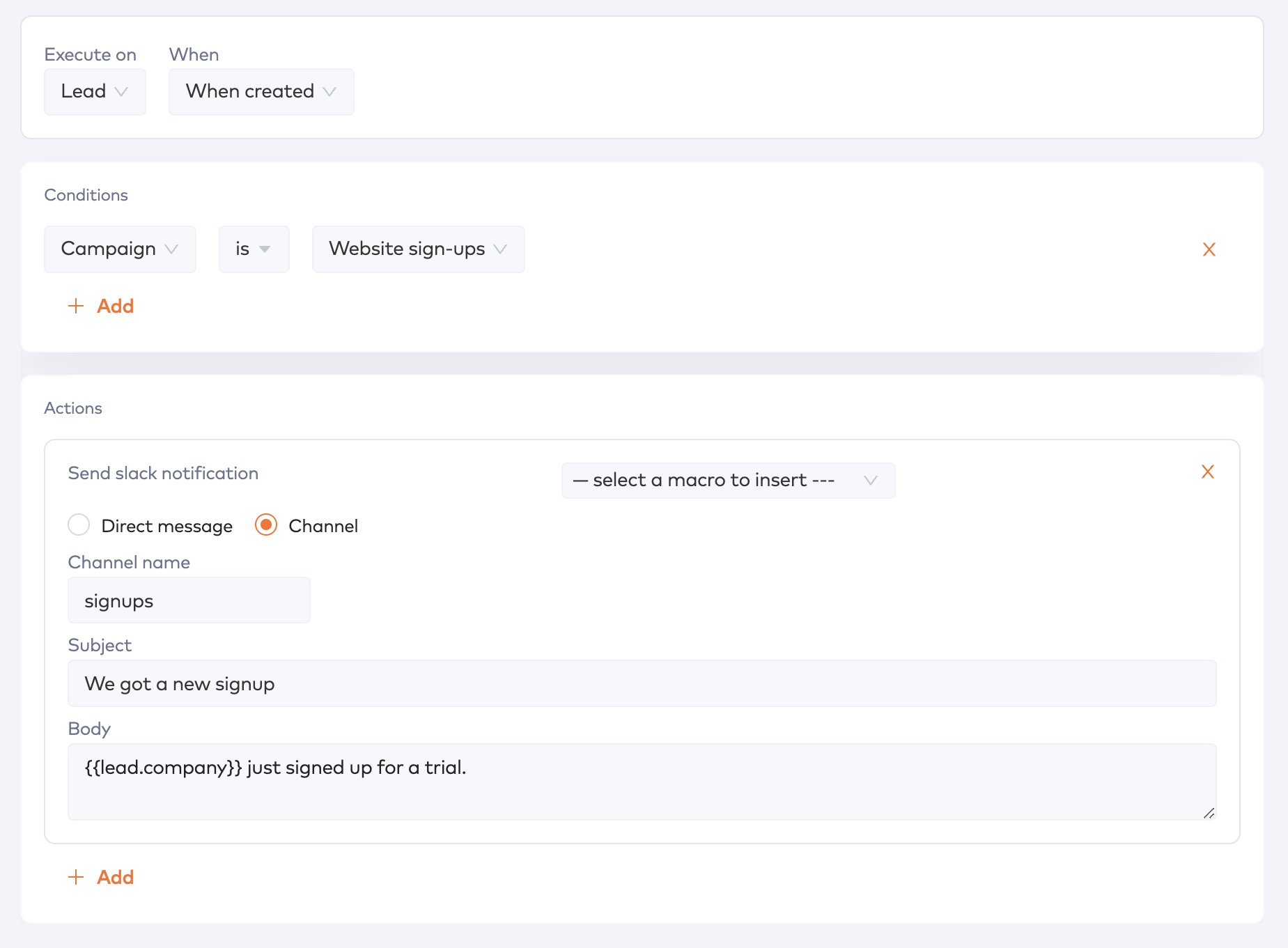
Workflow using the Slack integration
If your business runs on Slack, Bunny’s Slack integration can add another level of usability and automation to your quoting and revenue operations.